A Practical Giant LED Screen Guide for Installers and Project Buyers
A giant led screen is a large display built from connected LED cabinets or modules. Its size can make video visible across a large venue. However, a successful project needs more than a bright image. Buyers also need working content, safe installation, clear responsibilities, and a usable maintenance plan.
This guide focuses on the handover stage. That is when a delivered system becomes an operational asset. It covers ten mistakes that installers, contractors, and venue operators should address before accepting the equipment.
The checks below are a proposed procurement framework. They are not a report of completed customer projects. Use them to build a written acceptance plan with your supplier and installation team.

What Should a Giant LED Screen Handover Actually Prove?
Handover should prove that the complete system works at its intended site. A factory demonstration is useful, but it cannot establish every site condition. Signal cables, mounting access, daylight, and local power arrangements may differ.
Agree on acceptance criteria before shipment. Identify who supplies each component. Then define what evidence the buyer will receive. Useful evidence includes cabinet drawings, configuration backups, test records, and training notes.
A screen that plays one demonstration video is not fully verified. The operator should also understand how to start it, change content, and recover from common interruptions. Any unresolved defects should have an owner and a target date.
10 Giant LED Screen Mistakes That Can Delay Acceptance
1. Accepting Cabinet Quantity Without Checking the Display Map
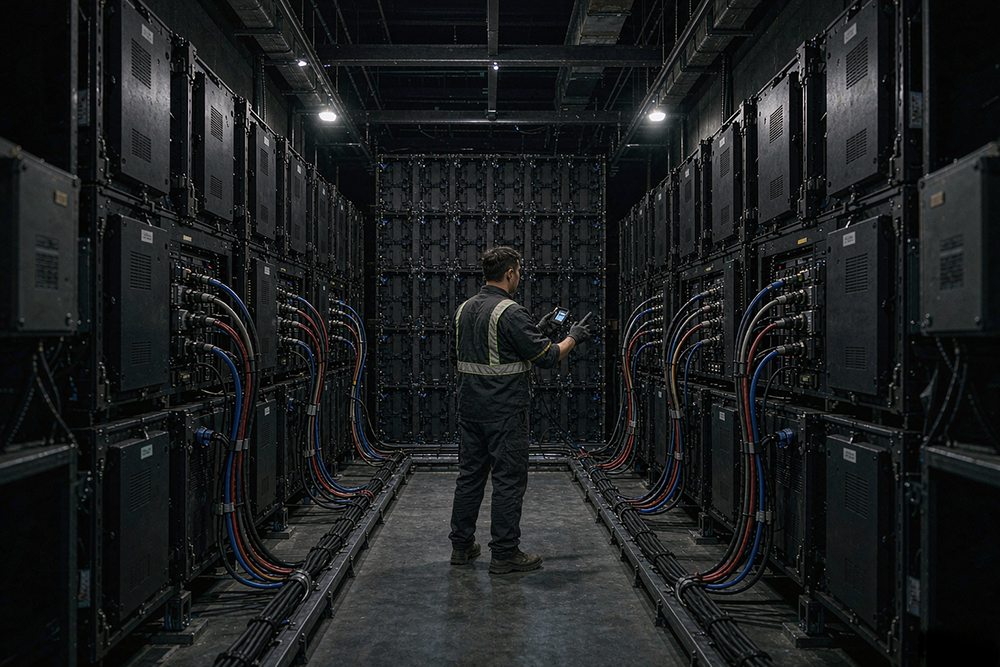
The cabinet map connects the physical build to the control system. It should show cabinet positions, orientation, signal order, and identification labels. Without this map, replacement work becomes harder to coordinate.
Check the delivered labels against the installation drawing. Confirm that the controller layout matches the actual cabinet arrangement. Keep a copy that a technician can use without contacting the original salesperson.
For example, imagine a layout with twelve cabinets across and six cabinets down. The drawing should identify all seventy-two positions. This is an illustrative layout, not a product specification. Actual cabinet dimensions and quantities must come from the approved design.
2. Testing a Giant LED Screen With Only the Supplier’s Video
A polished sample video may hide practical content problems. Your own files may have different proportions, text sizes, or playback settings. Testing only the sample does not show whether daily content will work.
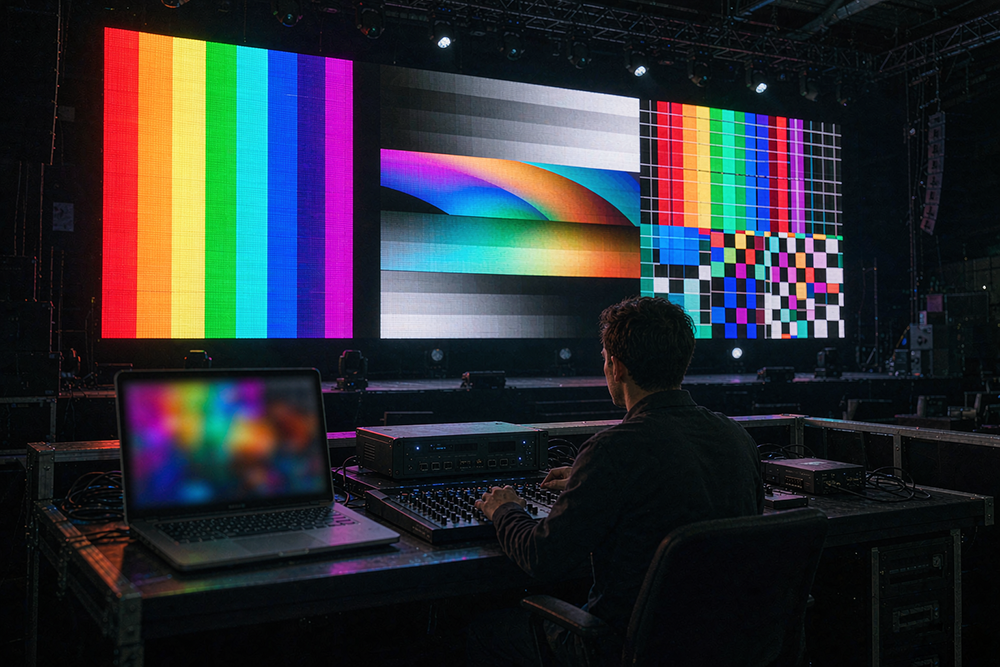
Prepare a small acceptance playlist before delivery. Include a presentation slide, a brand graphic, a normal video, and a still image. Add fine text if the venue will show schedules or captions.
Play these files through the actual production source. Check for cropping, stretching, unreadable text, and unexpected borders. Record the export settings that produce an acceptable result. Give those settings to the person who creates future material.
3. Confusing Physical Size With Useful Image Detail
A giant led screen can be physically large without providing the detail needed for every task. Pixel pitch describes the spacing between pixel centers. The active dimensions and pitch together determine the pixel grid.
Ask for the final native resolution, not just the diagonal size. Then compare it with the content plan. A large logo has different requirements from a spreadsheet or a detailed seating chart.
Review the picture from real audience positions. Include the closest intended viewing position and the furthest important one. Do not treat a single viewing-distance rule as a substitute for checking actual content. Keep the agreed text samples in the acceptance record.
4. Approving the Giant LED Screen Before Checking Service Access
Maintenance access should be confirmed before installation is closed. A system may offer front access, rear access, or a combination. Those descriptions still need to match the site layout.
Ask the installer to demonstrate the approved service procedure. Confirm which parts can be reached and which tools are required. Check that surrounding finishes do not prevent the planned maintenance method.
Document access restrictions for the venue team. Do not assume a technician can work safely simply because a panel is removable. Work at height, electrical isolation, and lifting arrangements need competent local planning. A display specification is not a complete site safety assessment.
5. Leaving Power Assumptions Out of the Handover Pack
Electrical planning needs model-specific information. Request the manufacturer’s power data and the approved distribution drawing. Separate maximum demand from any typical operating figure used for energy estimates.
The handover pack should identify circuit assignments, isolation points, and equipment labels. The local electrical professional should confirm the installation meets applicable requirements. Buyers should not size wiring from a general online example.
Also record the normal startup and shutdown sequence. Confirm what happens after an interruption. If the system needs controlled restart procedures, the operator must receive them in writing. Never assume that every device restores its previous state automatically.
6. Ignoring Giant LED Screen Performance Under Real Site Conditions
An indoor workshop cannot reproduce every operating environment. At the site, ambient light may change through the day. Reflections, nearby lighting, and the audience angle can also affect readability.
Schedule a test during the intended operating period. For an outdoor project, review the enclosure rating and installation conditions with the supplier. Do not assume an outdoor claim covers every component or exposed connection.
Record acceptable brightness settings for the relevant conditions. Avoid treating maximum brightness as the default answer. The right setting must balance readability, the venue environment, and any local restrictions. Confirm who can change it and how the approved settings are restored.
7. Checking the Giant LED Screen but Not the Whole Signal Chain
The display is only one part of the playback system. Sources, processors, converters, and long cable runs can affect the final picture. A direct test connection may bypass equipment used during normal operation.
Run acceptance tests through the full installed path. Use the same source device, cable route, and control equipment planned for the event. Check normal playback and any scheduled source changes.
Where protected content is part of the project, verify its playback separately. Do not assume a desktop test proves all licensed streaming content will work. Capture the working connection diagram and input settings. This gives future technicians a known starting point for troubleshooting.
8. Taking Delivery Without a Giant LED Screen Spare-Part Register
Spare parts should be identifiable, compatible, and easy to locate. A box marked “spares” is not enough. Operators need to know which item belongs to which part of the installation.
Create a register with part names, model references, quantities, and storage locations. Include the supplier’s procedure for checking compatibility. Record any relevant production-batch or configuration information supplied with replacement modules.
Agree on the replacement process before a fault occurs. Ask who diagnoses the problem and who authorizes a shipment. Clarify return handling and any costs not covered by warranty. Do not describe a response-time promise as a repair-time guarantee unless the contract actually says so.

9. Skipping Giant LED Screen Recovery and Operator Training
Daily operators need practical instructions, not just software credentials. They should know how to select the correct source, load approved content, and recognize a problem that requires technical support.
Provide a short operating session using the venue’s own material. Ask the operator to repeat the normal workflow. Then walk through approved recovery steps for a disconnected source or an interrupted playback session.
Keep configuration backups in a controlled location. Record the software version and the date of the backup. Store access credentials separately from public manuals. Agree on who can change configuration files. This reduces confusion when several teams share responsibility for the same equipment.

10. Signing Off the Giant LED Screen With Unassigned Defects
Small defects can become long disputes when nobody owns the next step. Use a written punch list instead of relying on messages scattered across different conversations.
Each item should identify the observed issue, location, responsible party, and agreed action. Add the evidence required to close it. If retesting is needed, specify the test conditions.
Distinguish delivery acceptance from final operational acceptance where the contract allows it. Commercial terms should match the agreed process. Do not sign a blanket statement that every function passed if important tests remain incomplete. Keep the final record accessible to the buyer, installer, and authorized service team.
A Giant LED Screen Acceptance Record You Can Adapt
Use one shared record rather than separate informal checklists. The table below is a suggested template. Adapt it to the project contract and local requirements.
| Acceptance area | Evidence to keep | Suggested owner |
|---|---|---|
| Cabinet layout | Approved map and matching labels | Installer |
| Content playback | Test playlist and export settings | Content operator |
| Service access | Demonstration record and access notes | Installer |
| Electrical installation | Approved drawings and required signoff | Local electrical professional |
| Control configuration | Backup files and version notes | Control technician |
| Spare parts | Item register and compatibility details | Supplier and buyer |
| Outstanding work | Punch list with closure evidence | Project manager |
Assign actual names before the final meeting. A role without a named contact can still leave work unclaimed. Keep the signed version with the equipment documentation.
Giant LED Screen FAQs
Does a larger display always produce a sharper image?
No. Physical area and image resolution are different measurements. Evaluate the pixel grid, content, and viewing positions together. Request a demonstration using the material the venue will actually display.
Can factory testing replace testing at the venue?
No. Factory testing helps establish a baseline. Site testing checks the installed system, including the local signal path and operating conditions. Agree on the purpose of each test before delivery.
What should be ready before the first public event?
Prepare approved content, configuration backups, operating instructions, and an escalation contact list. Resolve critical installation issues first. Confirm that the responsible professionals have completed any required safety checks.
Should every installation use the same acceptance checklist?
No. A temporary event build differs from a permanent venue installation. Start with a common template, then adjust it for the application. The final checklist should reflect the actual equipment, responsibilities, and contract.
Final Thoughts
Successful handover turns delivered equipment into a system the venue can operate and maintain. Test real content, preserve working settings, and assign every unresolved issue. Before accepting a giant led screen, make sure the documentation is as complete as the picture on the wall.
Related Reading: