Quick answer
LED screens for events price cannot be compared from screen area alone. A usable quote should define the wall dimensions, pixel pitch, cabinet model and count, processor and signal path, power distribution, mounting method, labor schedule, transport, spares, on-site support, rehearsal time, and acceptance tests.
Ask every bidder to price the same written scope and show inclusions, exclusions, quantities, and assumptions. This article does not publish a universal price range because venue conditions, region, date, rigging, electrical work, crew rules, and equipment class can change the delivered cost substantially.
Basic facts
| Cost driver | Specify before requesting a quote | Why it changes the total |
|---|---|---|
| Screen geometry | active width, height, aspect ratio, and any curves or corners | sets cabinet count, structure, pixel canvas, and labor |
| Viewing and content | nearest viewer, camera use, source format, frame rate, and small-text needs | affects pitch, processing, test content, and camera checks |
| Mounting | ground support, flown structure, existing wall, or mobile system | changes engineering, rigging equipment, crew, and approval needs |
| Power and signal | available voltage, circuits, cable routes, source devices, and redundancy | determines distribution, cable, processor, and backup scope |
| Event schedule | load-in, build, rehearsal, show, standby, and strike windows | drives crew size, overtime risk, and rental duration |
Define the event before you compare prices
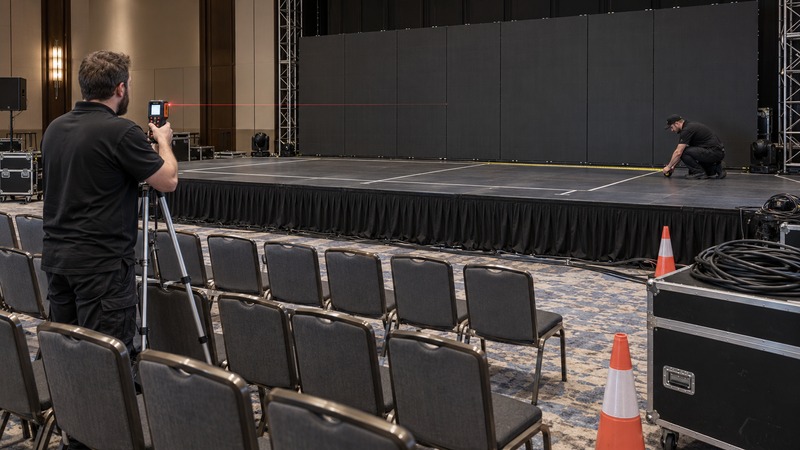
Start with a one-page scope drawing. Mark the visible screen area, stage edges, audience positions, control location, power source, loading route, ceiling or ground-support constraints, and the time available for setup. State whether the wall is a background for presenters, a camera surface, a close-view product display, or a distant image-magnification screen.
The same square meters can produce different systems. A wide scenic backdrop may use a different pitch and processor plan from a compact wall behind a keynote speaker. A screen seen on camera needs test patterns and camera checks that a simple audience-only display may not. Our viewing distance guide explains how pitch and room geometry should be reviewed together instead of choosing from a single distance rule.
Give every bidder the same drawing and content brief. If one quote assumes ground stacking, another assumes flown rigging, and a third leaves structure unspecified, their totals are not comparable.
Screen hardware is only one line item
A complete event system normally includes LED cabinets, locking hardware, processors, data distribution, power distribution, cabling, mounting or support, spare parts, test equipment, playback or switching interfaces, transport cases, and labor. Some suppliers bundle these items; others show them separately. Neither approach is automatically better, but the quantity and responsibility for each item should be visible.
Manufacturer specifications illustrate why model-level detail matters. Unilumin’s current UpadIV product page lists panel weight, maintenance access, locking and curving design, and hanging and stacking methods. These are examples of model-level fields a quote should name. For dimensions, resolution, pixel pitch, and power, require the exact data sheet for the cabinet actually proposed; do not transfer a value from one product family to another.
| Quote section | Minimum detail to request | Common hidden gap |
|---|---|---|
| LED cabinets | manufacturer, exact model, pitch, cabinet size, count, condition, and spare quantity | only screen area or pitch is listed |
| Processing | processor model, input formats, output capacity, scaling, backup path, and required licenses | “controller included” without capacity or interface detail |
| Power | maximum design load, typical planning load, distribution, cable lengths, connectors, and electrician boundary | venue circuits or distribution labor excluded |
| Structure and rigging | ground support or flown design, load data, ballast, hoists, hardware, engineering, and responsible party | structure shown in a rendering but omitted from price |
| Labor | crew roles, headcount, hours, supervisors, rehearsal, standby, strike, overtime, and travel | setup labor included but show support or strike excluded |
| Logistics | freight, local delivery, loading access, cases, lift equipment, parking, storage, and return timing | curbside delivery priced as if it were dock-to-stage handling |
| Acceptance | test content, seam checks, dead-pixel policy, color and brightness review, signal failover, and sign-off | system powers on, but no agreed image-quality test |
Calculate pixels, processing, and the signal path
Screen width and height do not tell you the native pixel canvas unless the cabinet layout and pitch are known. Ask for the final cabinet map and total pixel dimensions. The content team needs those dimensions for artwork, playback, and switching; the technical team needs them to confirm processor capacity and output-port loading.
Brompton Technology’s documentation shows that processor output capacity depends on factors including frame rate and bit depth. Its guidance also notes that some low-latency modes reduce available capacity. The practical lesson is simple: “one processor” is not a sufficient quote description. Require the proposed model, input and output plan, total load, port allocation, and operating settings.
State whether the show requires:
- one presentation computer or multiple switchable sources;
- camera feeds, playback servers, confidence monitors, or recording;
- backup input, backup processor, or redundant data routes;
- genlock or camera-specific refresh testing;
- long fiber runs between front of house and the stage.
Each requirement can add equipment, configuration, and rehearsal time. Use our refresh-rate and camera check guide to prepare test inputs instead of approving a system from a static image.
Power should be a documented design input
Request both the manufacturer’s maximum consumption data and the supplier’s planning assumptions. Maximum and typical or average values serve different purposes. The electrical design must account for the proposed equipment, supply voltage, local rules, distribution method, connector ratings, circuit loading, and any other show loads sharing the source.
Do not multiply a generic watts-per-square-meter figure and treat the result as an electrical plan. Product manuals show that cabinet models and voltages affect allowable loading and cable configuration. Ask who supplies the distribution, who connects it, where the handoff with the venue electrician occurs, and whether backup power is in scope. The power-consumption calculator guide lists the inputs that should be recorded before an electrician reviews the design.
Rigging and structure can change the project
A flown wall, ground-supported wall, mobile platform, and wall-mounted system are different projects. The Event Safety Alliance identifies rigging and temporary staging as event-safety topics and publishes standards addressing suspended equipment and temporary special-event structures. In the United States, applicable OSHA construction rules also require marked working-load information and inspection for covered rigging equipment. Local law, venue rules, and the exact work arrangement determine which requirements apply.
For a suspended or outdoor system, obtain the load information and design from qualified professionals responsible for that work. Do not let an article, marketing drawing, or cabinet hanging limit substitute for a project-specific structural and rigging review. The quote should identify who designs, approves, installs, inspects, and signs off the support system.
Labor, schedule, and logistics need their own lines
A low equipment subtotal can become expensive when the schedule requires a large crew, overnight work, a long push from the loading dock, limited elevator access, or rapid strike. Give bidders a schedule with access times, venue induction, loading rules, rehearsal, show calls, standby expectations, and return deadline.
Ask what happens if access starts late or the event runs long. Identify overtime rules, minimum calls, travel days, per diem, accommodation, parking, lift equipment, and storage. For a multi-day or touring event, state whether the same equipment batch and crew move to the next venue or whether cross-rented components may change.
Compare delivered scope, not headline price
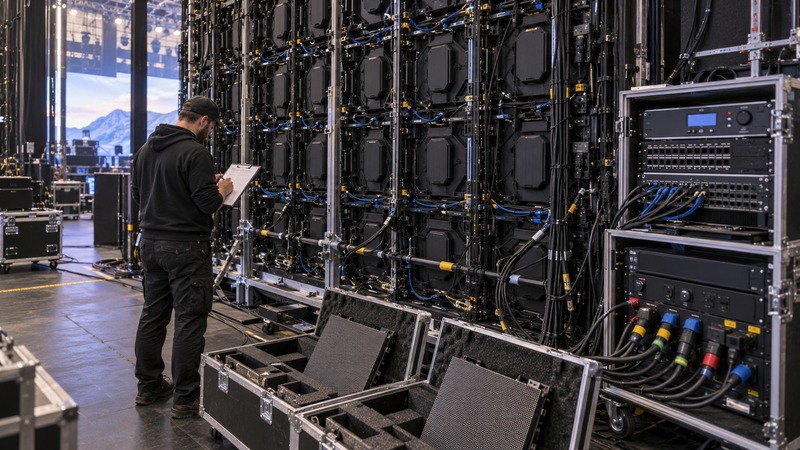
Normalize quotes into the same categories. If a bidder excludes rigging, electrical distribution, freight, or show-day support, add a clearly labeled allowance before comparing totals. Do not silently assume that an excluded task will be free or handled by the venue.
Separate optional upgrades from required scope. A redundant processor, additional spare cabinets, higher-grade switcher, backup playback machine, or extended technician call may be valuable, but each should be priced and justified independently. This lets the project team reduce cost without removing an item that is essential to operation or safety.
Build acceptance and handover into the quote
Define what “ready” means before purchase or rental confirmation. At minimum, test the complete wall at the intended brightness with representative content. Check cabinet alignment, seams, low-gray gradients, solid colors, text, video motion, source switching, cable strain relief, processor configuration, and access to replace a module or power unit.
For camera use, rehearse with the actual camera settings when possible. For a live show, simulate source loss and confirm who can switch to backup. Record final configuration files, cabinet map, data route, power circuits, spare inventory, contact list, and the person authorized to approve the system.
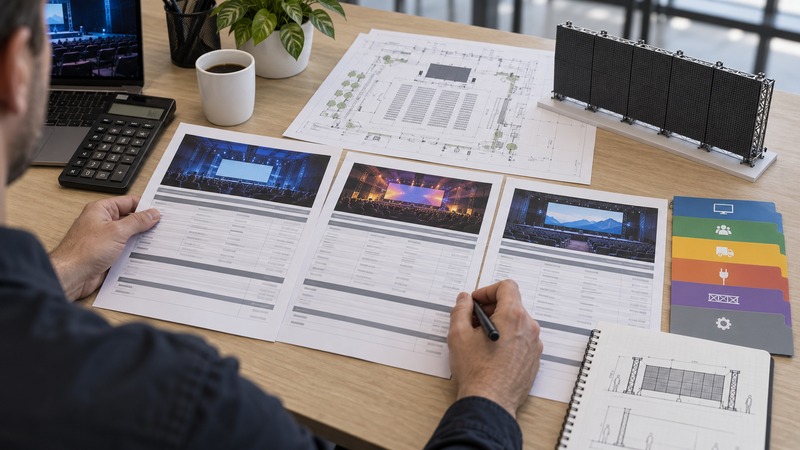
Quote request checklist
- Event date, venue, indoor or outdoor location, and operating hours.
- Active screen width, height, aspect ratio, and any curve or corner.
- Nearest and farthest important viewers, plus camera positions.
- Content resolution, frame rate, inputs, switching, playback, and redundancy.
- Proposed cabinet model, pitch, count, native canvas, and spare quantity.
- Mounting method, structure, rigging, engineering, approvals, and responsible parties.
- Power source, distribution, cable routes, maximum design load, and electrician boundary.
- Load-in, build, rehearsal, show, standby, strike, transport, storage, and access rules.
- Acceptance tests, configuration files, handover documents, and support contact.
- Itemized inclusions, exclusions, currency, taxes or duties, insurance, quote validity, cancellation terms, and change-order method.
Frequently asked questions
Why do event LED screen quotes vary so much?
Quotes may cover different screen models, structure, processors, power distribution, labor, transport, spares, rehearsal, and show support. Normalize those items before comparing the total.
Can I estimate price from screen area?
Area can support an early budget, but it is not a complete quote. Pitch, cabinet design, mounting, processor capacity, power, logistics, labor, schedule, and venue requirements can materially change delivered cost.
Should I rent or buy an event LED screen?
Rental may suit occasional or changing events because it can bundle equipment and service. Ownership can make sense for repeated controlled use, but it adds storage, maintenance, spares, training, transport, and technology-refresh responsibilities.
What should be included with the processor?
Request the exact processor model, inputs, outputs, pixel load, port map, scaling and switching functions, required licenses, data distribution, configuration files, and any backup or redundancy plan.
Is the lowest quote the best choice?
Only if it covers the same required scope and evidence. A lower total may exclude structure, power, freight, labor, spares, or support that another bidder included.