Quick answer
A big LED screen for a stage should be sized from the content, farthest important viewer, stage geometry, and camera plan. Pixel pitch comes from the nearest important viewer and required detail. The final system must also document cabinet count, native resolution, processor capacity, rigging or ground support, power distribution, redundancy, build schedule, and acceptance tests.
Do not approve a wall from width, height, and pitch alone. A large screen becomes a safe show system only after qualified teams verify the structure, electrical design, signal path, operation, and venue constraints.
Stage screen decisions at a glance
| Decision | Primary input | Required output |
|---|---|---|
| Active size | Content, farthest viewer, stage opening, and sightlines | Visible width, height, aspect ratio, and placement drawing |
| Pixel pitch | Nearest viewer, detail, camera use, and budget | Exact cabinet model, pitch, and native pixel canvas |
| Support method | Venue, loads, wind exposure, and access | Ground-support or flown design with responsibilities named |
| Power | Model-specific maximum input, voltage, and cabinet count | Distribution, circuits, connectors, and electrician boundary |
| Show reliability | Event criticality and recovery time | Spare modules, backup signal plan, monitoring, and operators |
Size the screen from the audience and content
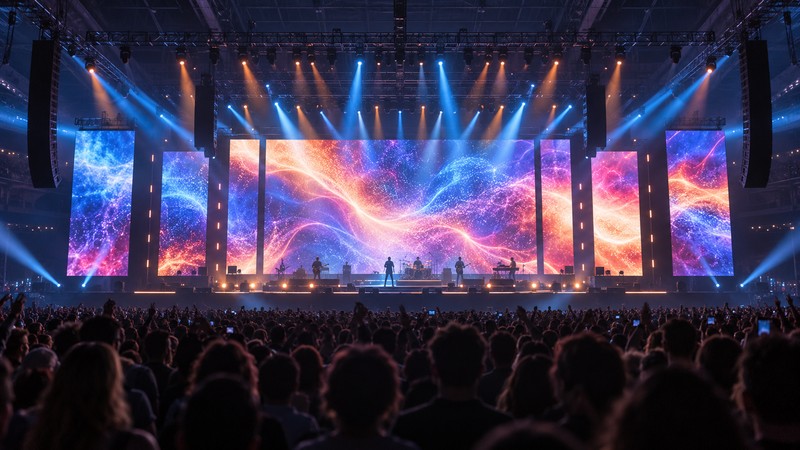
Begin with a scaled plan, not a product catalog. Mark the stage opening, performance area, side masks, lighting positions, loudspeakers, camera platforms, nearest viewers, and farthest viewers who must read the content. Decide whether the wall carries scenic motion, presenter slides, image magnification, sponsor marks, captions, or detailed product graphics.
AVIXA’s display-image-size standard describes sizing around viewing needs and viewer positions rather than one universal diagonal. That distinction matters on a stage: a decorative background can tolerate less readable detail than a screen carrying safety instructions, captions, or small presentation text. The finished size should be checked with representative content at scale.
Aspect ratio follows the content and stage composition. A 16:9 wall simplifies standard video playback, while a panoramic canvas may better fit a wide stage. When the wall is non-standard, give the content team the exact pixel canvas early enough to design for it.
Choose pixel pitch from the nearest important viewer
Pixel pitch is the center-to-center distance between adjacent LED pixels. AVIXA’s pixel-pitch guidance explains that smaller pitch supports closer viewing, while larger pitch can be suitable at longer distances. It also shows why visual-acuity and comfortable-viewing estimates are different.
Treat online pitch rules as screening tools. Make the final choice with the actual content, viewing positions, brightness, cabinet sample, and camera. A wall that looks smooth from the audience can still create moiré or scan artifacts on camera. Conversely, buying a much finer pitch than the audience needs can add cost, processing load, power, and handling risk without improving the show.
| Input | Question to answer | Evidence to request |
|---|---|---|
| Nearest viewer | At what distance should pixels stop distracting? | Full-size cabinet sample or documented viewing test |
| Farthest viewer | Can required text and faces be understood? | Scaled content mockup and sightline review |
| Camera | Will refresh, scan, and shutter settings work together? | Camera rehearsal with intended settings |
| Canvas | Does cabinet geometry create the needed native resolution? | Cabinet map, total pixels, and processor port map |
| Budget | Does finer pitch add visible value for this use? | Like-for-like option comparison with identical scope |
Confirm the cabinet system, not a generic LED label
Ask for the manufacturer, exact rental-series model, cabinet dimensions, weight, pitch, service access, brightness range, refresh options, power data, and supported hanging or stacking configuration. Rental products may prioritize fast locks, corner protection, light cabinets, front and rear service, and mixed cabinet sizes. Those differences affect labor and repair time.
Absen’s rental product information, for example, separates models for indoor, outdoor, touring, and creative stage use. A product-family claim does not prove suitability for your design. Review the exact model data and its official instructions.
Calculate the native canvas and processing load
Multiply the cabinet resolution by the cabinet count horizontally and vertically to obtain the native pixel canvas. Document any gaps, curves, rotated panels, side columns, or separate surfaces. The processor plan must show inputs, scaling, output capacity, port loading, data routes, and configuration files.
State the intended frame rate, bit depth, latency mode, HDR or color workflow, and camera synchronization requirements. Capacity can change with operating settings, so “one processor included” is not enough. For a related technical review, use the refresh-rate and camera checklist.
Engineer rigging or ground support for the project
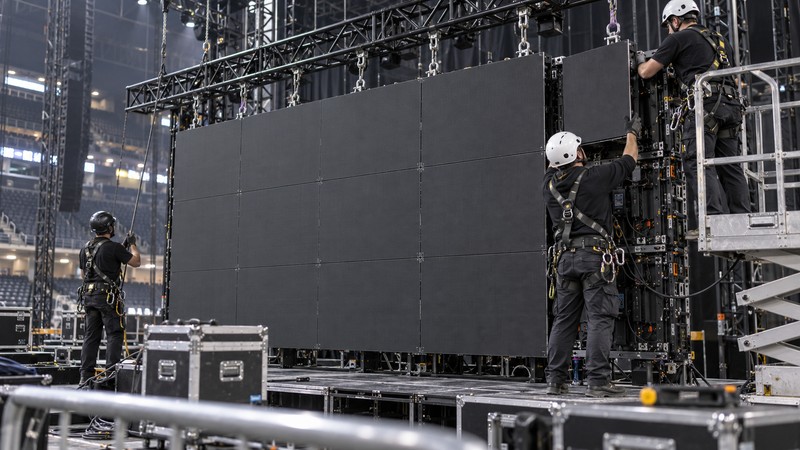
A flown wall, ground-supported wall, and mobile stage wall place loads in different locations. Include cabinets, hanging bars, frames, cables, distribution, banners, and any attached scenic pieces in the load information. The supporting structure, hoists, points, floor, ballast, and weather exposure all need review by the responsible qualified professionals.
For U.S. construction work, OSHA’s rigging-equipment rule requires pre-use inspection, legible rated-load markings, and no loading above the marked safe working load. This is one jurisdictional baseline, not a complete event-structure design standard; apply the laws, codes, venue rules, and competent-person requirements for the event location.
For outdoor work, define wind monitoring, operating limits, lowering or evacuation actions, and who has authority to stop the show. A cabinet’s published hanging limit does not replace the temporary-structure and rigging plan.
Design power from exact product data
Use the proposed cabinet’s maximum input and the actual quantity to establish the design basis. Then account for voltage, phase, connector and cable ratings, distribution topology, allowable loading, heat, feeder routes, and other show equipment. Typical consumption may help estimate energy use, but maximum data and local requirements govern protection and distribution decisions.
Identify the boundary between the LED supplier, venue electrician, generator supplier, and production electrician. Record who supplies disconnects, distribution racks, feeder, branch cables, grounding, protection, and backup. The LED power input guide lists the product fields to collect before the electrical team reviews the plan.
Plan signal, redundancy, and control
Map every source from playback or camera through switching, processing, fiber or copper transport, receiving cards, and cabinet data paths. Critical shows may need a backup playback source, processor, data route, or spare cabinet. Redundancy should be tested rather than assumed from a product feature list.
Place front-of-house control where operators can see the wall directly or through trusted monitoring. Confirm communication between video, lighting, stage management, rigging, and electrical teams. Decide who can change brightness, load configuration files, replace a module, and switch to backup during the show.
Build a realistic installation schedule
Large walls consume time for unloading, structure, cabinet assembly, power, data, calibration, content mapping, camera rehearsal, and inspection. The schedule must include access limits, lift availability, work-at-height controls, venue induction, breaks, troubleshooting, and strike. Do not calculate labor from panel count alone.
Protect the completed wall from other work. Moving truss, scenic pieces, forklifts, haze equipment, and pyrotechnic or water effects can introduce new risks after the LED team finishes its first check.
Commission the whole system before doors open
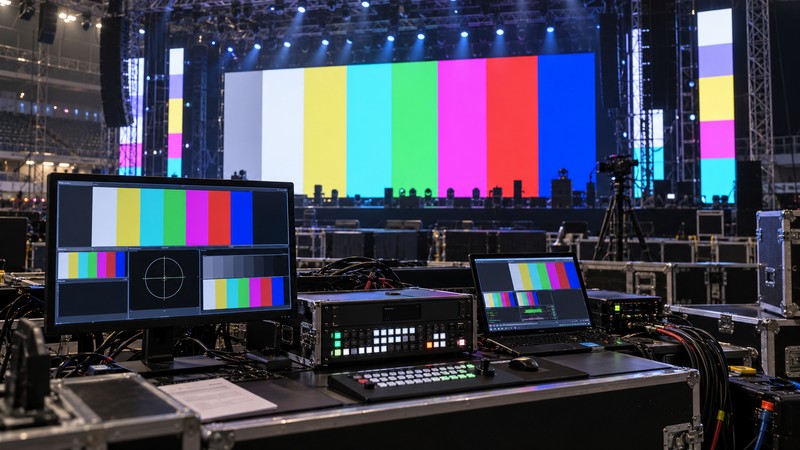
Run solid red, green, blue, white, black, low-gray gradients, fine lines, text, motion, and representative show content. Check cabinet seams, brightness consistency, dead pixels, scaling, color, clipping, frame rate, camera appearance, and delay. Test every input and planned switch.
Simulate the failures the team is expected to recover from: source loss, processor failover, data-route interruption, or module replacement. Record the approved brightness, configuration files, cabinet map, port map, power circuits, spares, contacts, and sign-off names. The handover should be understandable to the show operator, not only to the installer.
Stage LED screen specification checklist
- Venue, event dates, indoor or outdoor status, and operating hours.
- Active width, height, aspect ratio, placement, and sightline drawing.
- Nearest and farthest important viewers and all camera positions.
- Content types, smallest text, source resolution, frame rate, and color workflow.
- Exact cabinet model, pitch, cabinet count, native canvas, weight, and spares.
- Processor models, inputs, outputs, port map, scaling, latency, and backup paths.
- Support method, load data, engineering, rigging, wind plan, inspection, and approval.
- Maximum power basis, voltage, distribution, circuits, cable route, and responsibilities.
- Load-in, build, rehearsal, show support, standby, strike, and transport plan.
- Acceptance tests, configuration archive, spare inventory, and final sign-off.
Frequently asked questions
How big should a stage LED screen be?
Size it from the content and the important audience positions. Confirm that text, faces, and key visual details are legible for the farthest intended viewer, then verify that the screen fits the stage, structure, sightlines, and camera framing.
What pixel pitch is best for a stage screen?
Choose pitch from the nearest important viewer and content detail. A smaller pitch supports closer viewing, but the final choice also depends on screen size, camera use, cabinet family, processing, and budget.
Can a large LED wall be flown above a stage?
Only with a project-specific rigging plan, compatible rated hardware, verified loads, qualified personnel, venue approval, inspection, and operating limits. Cabinet hanging capacity alone is not a complete structural design.
How much power does a stage LED wall need?
Use the exact cabinet model, quantity, supply voltage, manufacturer maximum input data, distribution design, cable lengths, and other show loads. A generic watts-per-square-meter estimate is not a final electrical plan.
What should be tested before doors open?
Test the full wall with representative content, solid colors, gradients, motion, source switching, camera settings, redundancy, spare replacement, communication procedures, and an agreed sign-off checklist.
Sources and further reading
- AVIXA: Display Image Size for 2D Content standard
- AVIXA: pixel pitch and viewing distance
- Absen: rental and staging product families
- OSHA: rigging equipment for material handling