Quick Answer: A lobby display should be planned around the visitor’s next step: finding reception, locating a meeting, checking an announcement or understanding the organization. Decide which task matters first, then test the actual content from the arrival route and waiting seats. An impressive LED wall and a useful directory can serve different purposes; screen size alone does not resolve that choice.
This guide is for a facilities, communications or AV team preparing a reception-area brief. It compares common uses, describes a practical viewing trial and identifies who must keep information current. It does not prescribe a universal pixel pitch, brightness level or return on investment.
Plan the Lobby Display Around a Visitor Task
| Visitor task | Useful content | Viewing situation | Acceptance question |
|---|---|---|---|
| Find reception | A clear welcome and reception instruction | Arriving and moving | Can a first-time visitor identify the next step? |
| Find a destination | A directory or simple route information | Paused at a decision point | Does the instruction match the actual building route? |
| Check a meeting | Approved event name, time and location | Near reception or a waiting area | Is the information current and appropriate for public display? |
| Understand the organization | Brand imagery or a short introductory sequence | Arrival view or waiting seats | Does it support the setting without obscuring essential directions? |
| Complete check-in | An interactive workflow with a staffed alternative | Stationary, hands-on use | Can intended users reach and complete the controls? |
These uses can coexist, but do not assume that every message belongs in the same rotating playlist. A person deciding where to turn may not wait for a brand video to finish. Keep the immediate direction available when it is needed, and allocate other content to a suitable area or time.
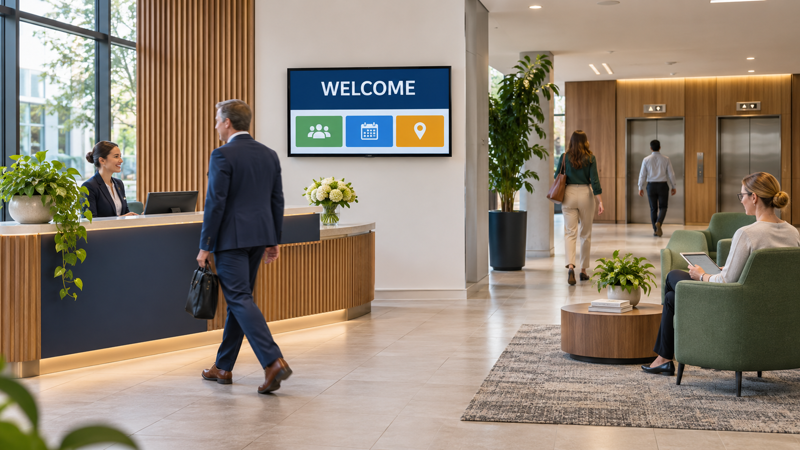
Separate a Welcome Wall from a Directory or Kiosk
Samsung’s corporate-office examples include LED walls, kiosks and signage in the lobby. These are examples of available formats, not proof that a particular format is best for every reception. The intended task should determine which options reach a project trial.
A wide brand canvas may suit a prominent wall viewed across the room. A directory may need a more convenient stopping point and larger, simpler labels. A touch-based check-in screen adds reach, interaction and workflow requirements that a read-only welcome wall does not have.
Consider a hypothetical office where visitors can see a large wall from the entrance but cannot read the meeting room names until they approach the desk. The large wall could retain its visual role while a separate, closer directory handles destination details. That is a planning option, not an argument that two screens are always necessary.
Run the Trial with Real Content and Real Viewpoints
Mark the locations where someone enters, joins a queue, pauses for directions and sits to wait. Bring the proposed welcome page, the longest realistic destination label and an ordinary meeting announcement to the trial. A full-screen photograph alone will not reveal whether the text layout works.
Ask a person unfamiliar with the building to explain what they would do next. Record the viewpoint and the task they could complete. If the label is unreadable, distinguish small lettering, low contrast, reflections, viewing angle and the display’s actual resolution before changing a specification. A finer pitch will not repair an instruction that points to the wrong lift bank.
Check the same content under the lighting conditions the lobby actually experiences. A useful trial includes window reflections and the seated viewpoint, rather than relying only on a darkened supplier demonstration. The goal is a documented acceptance result for that content and room, not a universal brightness target.
When an LED wall is under consideration, carry the opening dimensions and required content layout into the screen dimensions and LED wall planning check. Cabinet layout and native pixel count should be established for the proposed configuration.
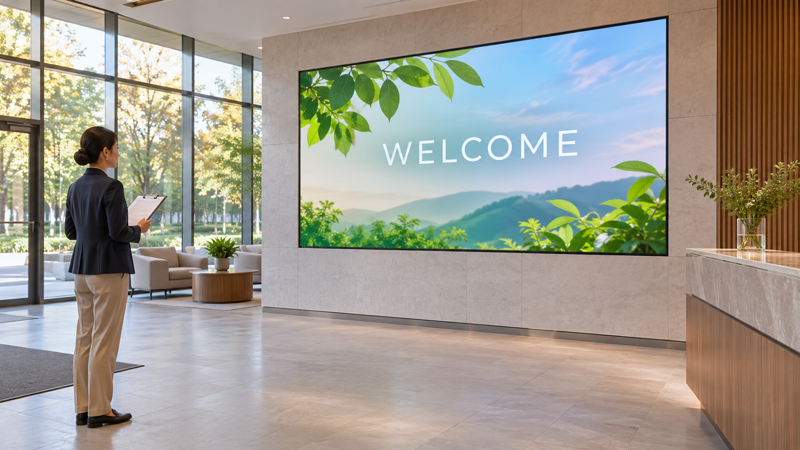
Keep the Display and Its Users Out of the Circulation Route
A directory that draws people into a doorway can create a poor stopping point even if its picture looks good. Examine where users stand, whether a queue forms and how others pass. Include the screen enclosure, mounting arrangement and any kiosk base in the layout review.
Duke University’s electronic display mounting guidance distinguishes interactive controls from read-only boards and discusses reach, clear approach space and protrusions into travel paths. That supports treating accessibility as part of the physical and interaction design, rather than only a text-size adjustment.
The Duke page describes its U.S. accessibility context. Do not turn its measurements into a universal mounting-height rule for every country or display. Ask the project’s relevant accessibility and building professionals to establish applicable requirements. This article provides a review agenda, not an installation or compliance certificate.
Assign an Owner for What Appears on Screen
BrightSign’s signage overview lists directions, maps, updates and interactive functions as signage uses. Each function also needs an operational owner. Hardware selection does not determine who approves a visitor welcome, removes an expired event or checks a changed room name.
For example, reception might own the daily event list while communications approves the introductory sequence and IT controls player access. Write down that division before launch. Use information cleared for a public-facing screen; a meeting title suitable for an internal calendar may still be inappropriate in a public lobby.
Test the expiry behavior and the fallback page. If an update fails, what remains visible? If a live feed stops, can staff identify the stale information? Treat these as project acceptance tests, not assumptions about every signage platform. A simple reception instruction can be a more useful fallback than a frozen schedule whose validity is unclear.

Turn the Trial into a Specific Purchase Brief
Describe the approved task, content examples, viewing positions, lighting observations and physical constraints. Then ask suppliers to explain how the proposed display, player and content system address those requirements. Include service access, operating schedule, power and network arrangements in the project discussion.
Keep evidence separate from a promise. “The directory was readable from the marked waiting seat during the afternoon trial” reports an observation. “Visitors will be more impressed” is an expectation that needs a different kind of evaluation. Neither should be converted into an unsupported sales or productivity figure.
For component and maintenance questions, the modular LED panel compatibility guide covers a separate procurement task. A lobby brief should first explain the room and the visitor action; it should not begin by assuming every lobby needs the same module, pitch or wall size.
Lobby Display Questions
Does every lobby need an LED wall?
No. A welcome canvas, a directory and a check-in kiosk serve different tasks. Compare suitable formats against the room, content and users before selecting hardware.
Can one rotating playlist handle directions and brand video?
It can be trialed, but essential directions must be available when visitors need them. Do not assume someone will wait through the entire sequence to find reception or a room.
Is there one correct mounting height?
No universal height is given here. Read-only viewing, interactive reach, approach space, mounting projections and applicable local requirements need separate review.
What should be tested before acceptance?
Test the actual content from arrival and waiting viewpoints, the daytime lighting, the route around users, content updates, expiry behavior and the fallback page.
Source and Illustration Notes
The linked manufacturer pages establish examples of signage formats and functions; they do not prove project outcomes or endorse a particular purchase. Duke’s guidance supports the accessibility review distinction within its stated context. Sources were checked on November 4, 2026. The planning examples and generated images are illustrative, with no claim of a completed client installation.