Quick answer
Choose a retail LED screen by starting with the customer route, nearest viewing position, ambient light, content format, structural limits, service access, and a written acceptance test. Pixel pitch matters, but it cannot answer those questions by itself.
A useful request for quotation should require the supplier to state the proposed cabinet and module layout, native canvas size, electrical loads, heat-management method, front or rear service route, controller architecture, spare-parts list, applicable certifications, and test conditions. Treat any unlabeled “best,” “high brightness,” or “long life” claim as incomplete until it is tied to a model, measurement method, and operating condition.
Start with the store route, not the panel
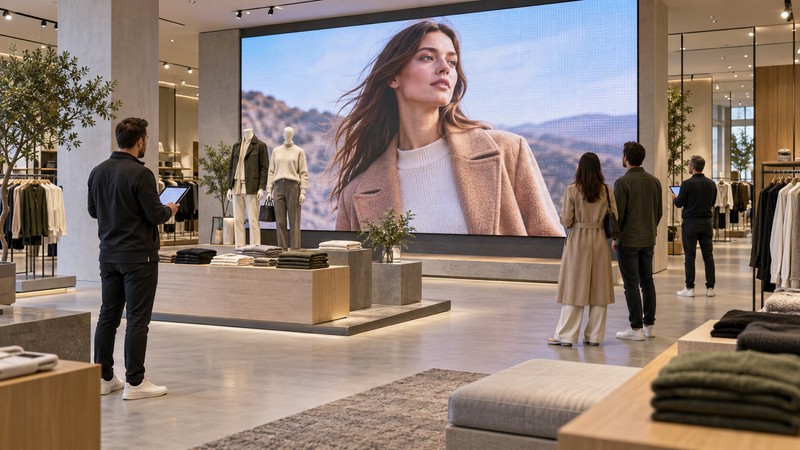
Draw the screen on a floor plan and mark where people enter, pause, queue, browse, and pay. Measure the nearest normal viewing position rather than the closest point a person could physically reach. Then record the farthest important view and the strongest off-axis view.
The same screen can serve different jobs:
- A storefront screen must compete with reflections and outside sightlines.
- A feature wall inside the store supports atmosphere and product storytelling.
- A queue screen is viewed for longer and at closer range.
- A wayfinding or price screen requires legible information rather than cinematic impact.
These uses should not share one specification by default. A transparent display, fine-pitch wall, conventional signage display, and tiled LCD system solve different constraints.
Match pixel pitch to real viewing conditions
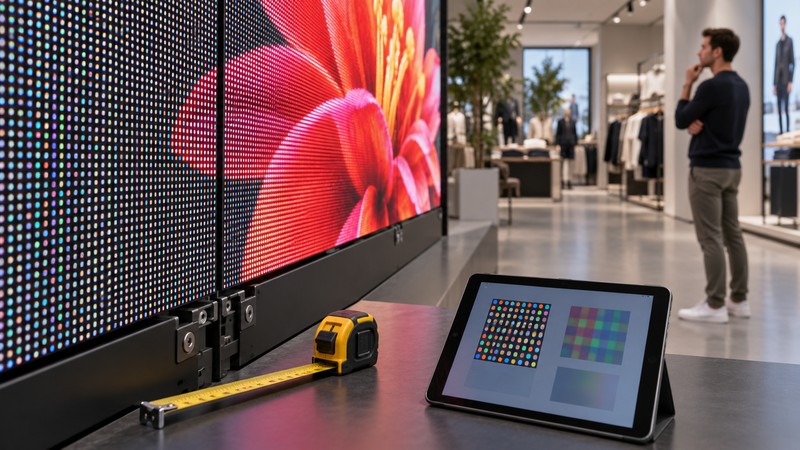
Pixel pitch is the center-to-center spacing between adjacent pixels. A smaller pitch increases pixel density for a given area, but it does not automatically improve the result if the source content, processing, installation flatness, or viewing distance is wrong.
Use the store's closest planned viewing position to compare candidate pitches with real content. Ask for a full-size module or cabinet sample and review text, faces, gradients, fine product edges, and dark scenes. Do not approve from a compressed phone video.
The site's P3.91 LED screen guide explains why a pitch label does not define the complete system. For retail work, also confirm the total pixel canvas. Content teams need that width and height before templates, motion graphics, and media schedules are finalized.
| Question | Evidence to request | Why it matters |
|---|---|---|
| What is the native canvas? | cabinet map and final pixel dimensions | prevents scaling surprises and wrong content templates |
| Where is the nearest normal viewer? | annotated floor plan and site measurement | lets the team judge visible pixel structure with real content |
| Will people read small text? | full-size content test at the planned distance | visual impact does not prove legibility |
| Are seams visible? | white, gray, and low-brightness test patterns | reveals alignment and module variation |
Plan for ambient light and reflections
Retail lighting changes across the day and across merchandising scenes. Record direct sun, glazing reflections, track lights, and bright neighboring displays. Test a candidate screen under comparable conditions and at more than one brightness setting.
More output is not always better indoors. Excessive brightness can reduce comfort, expose black-level limitations, and make nearby products harder to view. Require controllable presets or scheduling appropriate to the project, then verify them on site. The supplier should document measurement settings rather than quoting a single maximum figure without context.
Check structure, power, heat, and service access
A screen is part of the building fit-out. The project team should confirm wall loading, anchors, cabinet support, ventilation, electrical distribution, protective devices, cable routes, controller location, emergency access, and the safe method for replacing a module or power supply.
Ask which components can be reached from the front and which require rear clearance. A shallow wall cavity is useful only if technicians can actually remove the failed part. The LED cabinet display buying guide provides a related cabinet-level checklist.
Certification and code requirements depend on jurisdiction, product category, and installation. UL Solutions lists UL 48 and related electric-sign requirements, and notes that some large or unusual signs may require project-specific evaluation. Ask the local authority, electrical designer, and supplier which rules apply; do not infer approval from an unrelated component logo.
Design content for people in the store
Retail content should respect the viewing time and physical setting. Keep essential messages within safe areas, test type at full size, avoid rapid cuts near queues, and provide a motion plan that does not compete with product displays.
Flashing content also raises an accessibility and safety issue. W3C technique G19 describes a conservative approach of no more than three flashes in any one-second period. W3C's preliminary accessibility checks also ask reviewers to check moving, blinking, and flashing content. Although those resources were written for web content, their content-review principle is useful for media played on a large public display.
Write the acceptance test before ordering
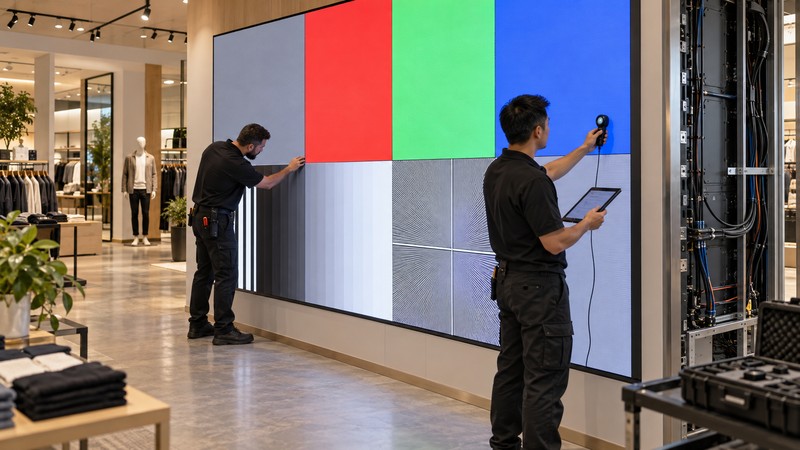
An acceptance plan should be attached to the purchase documents. That prevents the project from relying on “looks good” after the wall is installed.
Test the screen after final alignment, control setup, and normal store lighting are available:
- Confirm the physical dimensions, cabinet map, native canvas, and service clearances.
- Display black, white, red, green, blue, gray steps, gradients, fine lines, and real campaign content.
- Inspect dead or abnormal pixels, color shifts, dark-area behavior, cabinet seams, and brightness uniformity from the agreed positions.
- Test every input path, scheduled preset, recovery procedure, and operator account.
- Record electrical readings and thermal observations under the agreed test content and duration.
- Replace a serviceable part under supervision if maintainability is a contractual requirement.
- Save controller files, calibration data, serial numbers, photos, readings, and sign-off notes.
| Acceptance area | Pass evidence | Record to keep |
|---|---|---|
| Image geometry | correct canvas and no unintended scaling | processor and sender configuration |
| Uniformity | agreed patterns reviewed from named positions | photos plus instrument settings where used |
| Serviceability | required module or component can be reached safely | access procedure and tool list |
| Operations | content, presets, restart, and fallback work | operator guide and recovery file |
| Handover | spares, warranty scope, contacts, and training delivered | signed inventory and training record |
Compare suppliers with the same evidence
Send the same site drawing, content samples, operating schedule, and acceptance plan to every bidder. Normalize responses into one comparison sheet. The site's LED display manufacturer guide explains how to separate company claims from model-level and project-level evidence.
Compare exclusions as closely as included items. Structure, electrical work, data cabling, processors, mounting trim, commissioning, travel, training, spares, and after-hours support can change the real project cost. A low equipment price is not a complete installed-system price.
Frequently asked questions
What pixel pitch is best for a retail LED screen?
There is no universal best pitch. Compare candidates at the nearest normal viewing position with the final type sizes, images, and motion. Also consider total pixel canvas, serviceability, budget, and installation quality.
How bright should an indoor retail LED wall be?
Specify brightness around measured ambient light and viewer comfort, with controllable settings for different store conditions. A maximum catalog value alone does not prove that the display will look appropriate on site.
Should a retail LED screen be front serviceable?
Front service is useful where rear access is unavailable, but the complete method matters. Confirm that modules, power supplies, receiving cards, and cables can be reached safely with the planned trim and wall construction.
What should be tested before final payment?
Verify geometry, pixel canvas, uniformity, pixel defects, seams, input paths, presets, restart behavior, service access, documentation, spares, and training against the written acceptance plan.
Can a supplier certification prove the whole installation is approved?
Not by itself. Certification scope may apply to a specific product, sign, component, factory program, or jurisdiction. Confirm the exact model, marking, installation conditions, and local approval path with the responsible professionals.